Google Feud Autocomplete Guess-Off
played 20 times
played 20 times
 NEW
NEW
 NEW
NEW
 NEW
NEW
 NEW
NEW
 NEW
NEW
 NEW
NEW
 NEW
NEW
 NEW
NEW
 NEW
NEW
 NEW
NEW
 NEW
NEW
 NEW
NEW
 NEW
NEW
 NEW
NEW
 NEW
NEW
 NEW
NEW
 NEW
NEW
 NEW
NEW
 NEW
NEW
 NEW
NEW
 NEW
NEW
 NEW
NEW
 NEW
NEW
 NEW
NEW
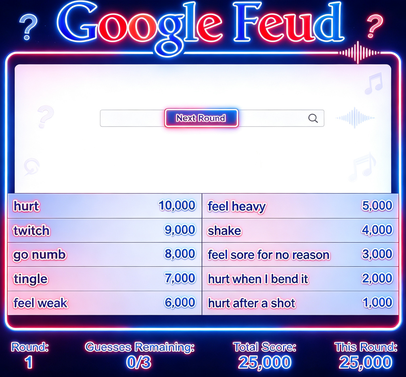
Google Feud Autocomplete Guess-Off asks a funny question: can you predict what other people search for? Each round begins with the start of a phrase, and you try to fill in the most common completions before your guesses run out.
The challenge is not pure knowledge. You need a mix of trivia, cultural awareness, and a willingness to imagine odd phrasing. Sometimes the obvious answer scores; other times the internet has taken the question somewhere far stranger.
Google Feud works because every reveal feels like a tiny snapshot of public curiosity. It is quick enough for a few casual rounds, but competitive players can keep improving by learning which instincts match the crowd. When stuck, say the prompt out loud; natural search phrasing often appears before the clever answer does. It also makes a fun pass-and-play challenge because every answer sparks a quick argument.
Puzzle pages work better when they explain the decision pattern, not just the goal. For Google Feud Autocomplete Guess-Off, players should study the board before moving, because one rushed choice can close off better options. That gives the page a clearer purpose: it explains how to get started, what to pay attention to, and why a replay can feel different from the first attempt.
A useful way to play Google Feud Autocomplete Guess-Off is to treat the first minute as a read of the rules. Notice what the game rewards, where mistakes happen, and which action gives you the most control.
Yes. Google Feud Autocomplete Guess-Off is available to play online in your browser without installing an app.
Google Feud Autocomplete Guess-Off is listed in the Music Games category and can be played from the game detail page.
Use the keyboard, mouse, or touch controls shown inside the game.
Yes. Use the related games section and category links on this page to discover more Music Games games.
Player Comments